Andrius K. · ProjectsNo. 4 of 18
Drafting software · 2026
Drafter
A drawing office that fits in a browser tab: open an AutoCAD file, read it properly, change it, and never install anything.
- Status
- Version 0.2, by invitation
- Built with
- JavaScript, WebGL2, LibreDWG compiled to WebAssembly
- Languages
- Lithuanian and English
- Where
- drafter.headbandno2.com
What it is
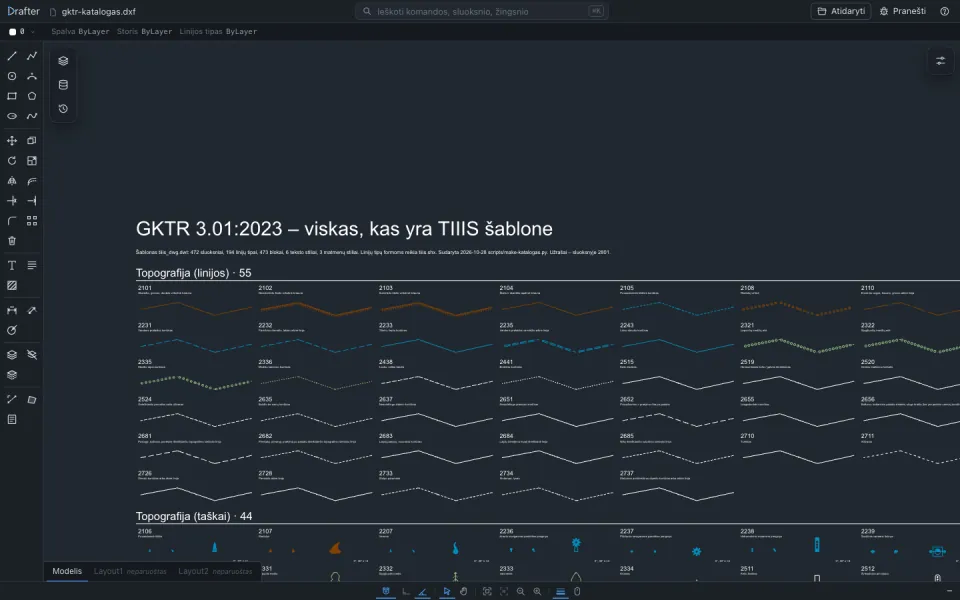
Drafter opens DWG and DXF files, the formats of AutoCAD and of most technical drawings in circulation, and lets you look at them and change them in a browser. Lines, arcs, polylines, text, dimensions, hatches, blocks and their attributes, and paper layouts with their viewports: 26 kinds of object in all, drawn the way their author saw them, down to the stroke fonts the text was set in.
It is built for people who live in drawings: land surveyors who turn measurements into topographic plans, and interior designers who need a clean A3 set for the builders. Neither wants to open a heavyweight desktop program to check a dimension or move a wall.
How it works
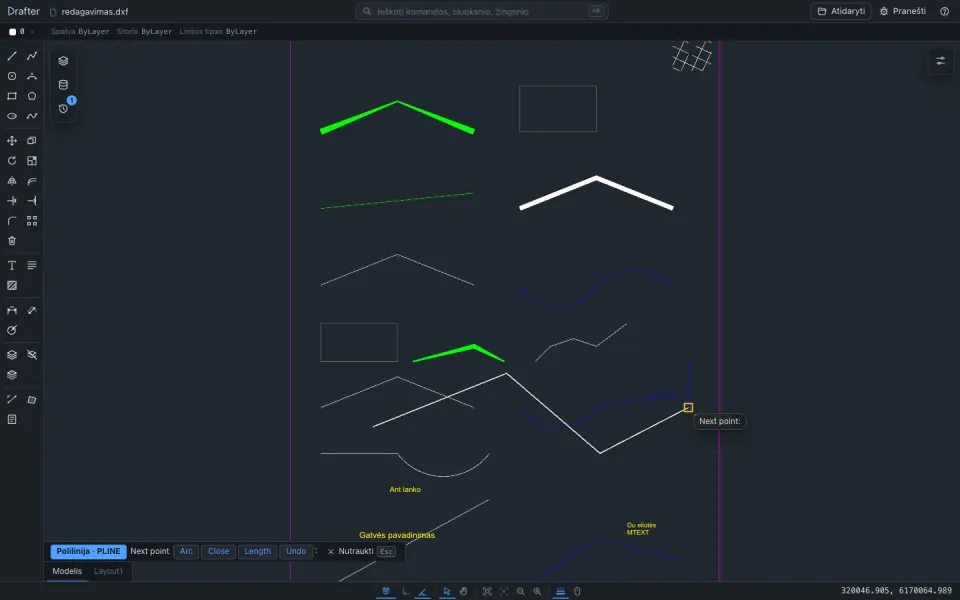
Underneath is a drafting engine of its own. A reader compiled to WebAssembly takes the file apart in a background worker; the drawing is kept in flat typed arrays and drawn on the graphics card by a renderer written for it. Every change goes into a journal that can be replayed, which makes undo, redo and a reload of the page the same operation: the drawing comes back exactly as you left it.
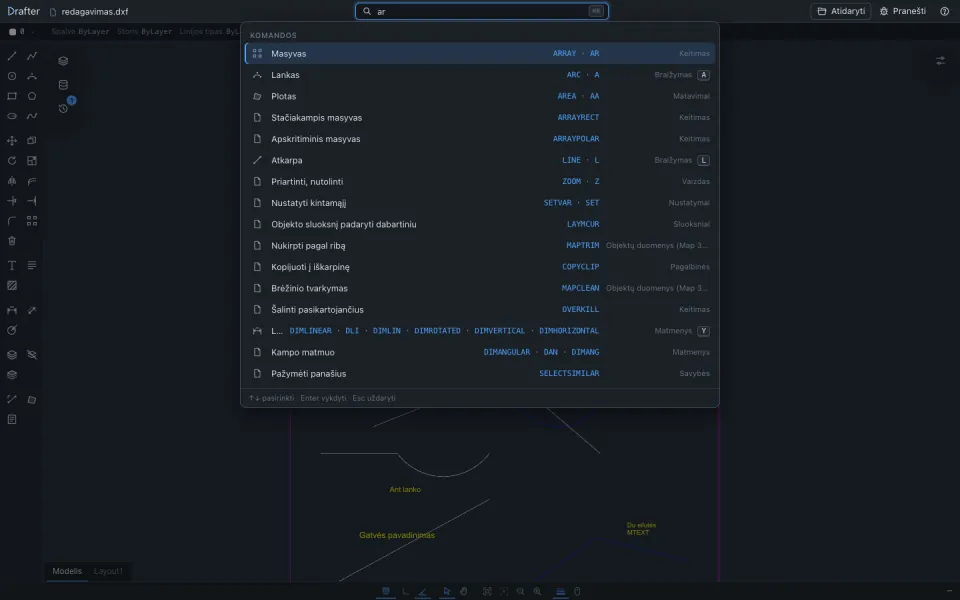
The 91 commands follow AutoCAD's own names, short keys and order of questions, including the clean-up tools of its Map 3D toolset. Someone with twenty years of AutoCAD in their fingers can type L for a line and carry on. There is no command line, though: the question stands next to the cursor and the options are buttons, which turns out to be easier for everyone else.
Undo, redo and reloading the page are the same operation.
The engine has 1,094 automated tests and serves three sites: the in-house tools of a survey firm, this one, and a tool that makes finished drawing sets for interior designers.
Why
Most of the people who need to read a drawing do not need the program it was drawn in. Drafter puts the drawing where they already are. Saving and printing are deliberately held back for now: they will be the paid part.
Have a project like this? Message me on LinkedIn